Add income
Income is money that comes to you: a salary, freelance work or a gift. You add it From an income category To the place where you keep that money, like Wise.
-
Choose From and To
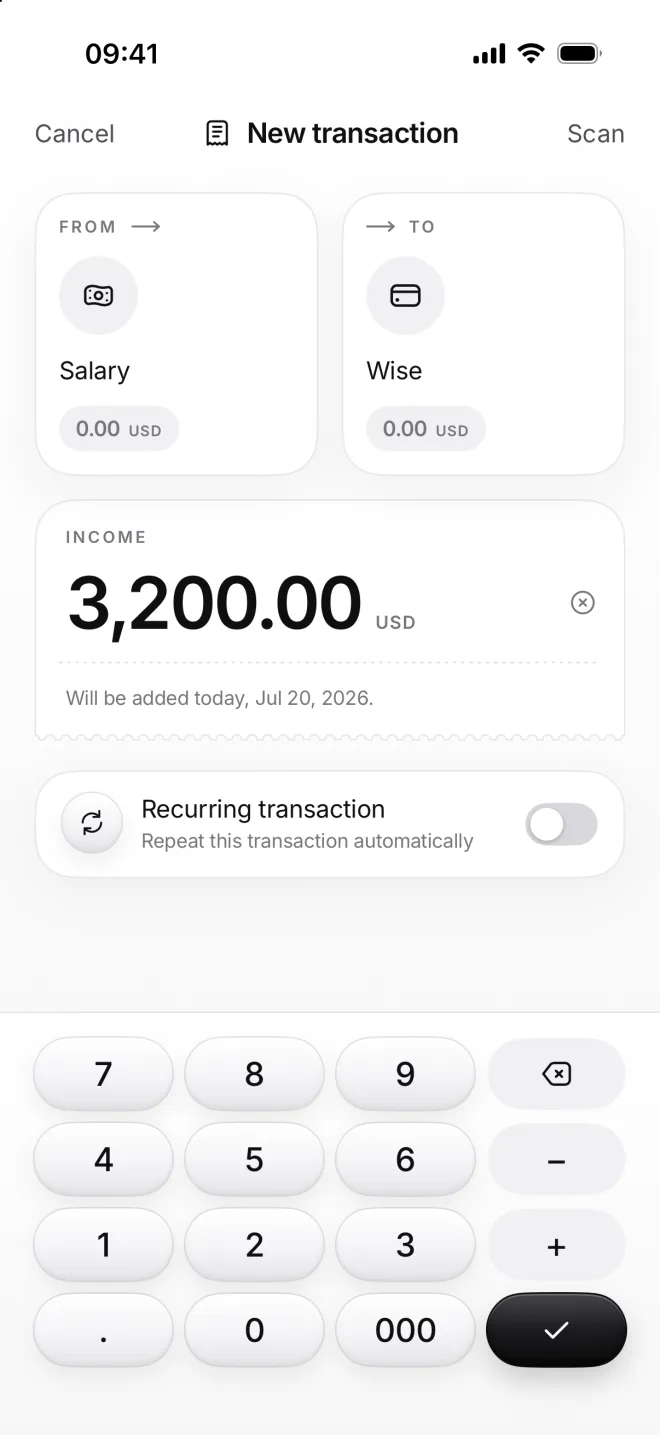
Tap + and pick Salary under Income as From, then Wise under Balance as To. The amount field opens with moni’s calculator.
Type 3,200 and tap the check. It’s in Salary’s currency, and the day is today unless you choose another one under Date.
-
Tap Add
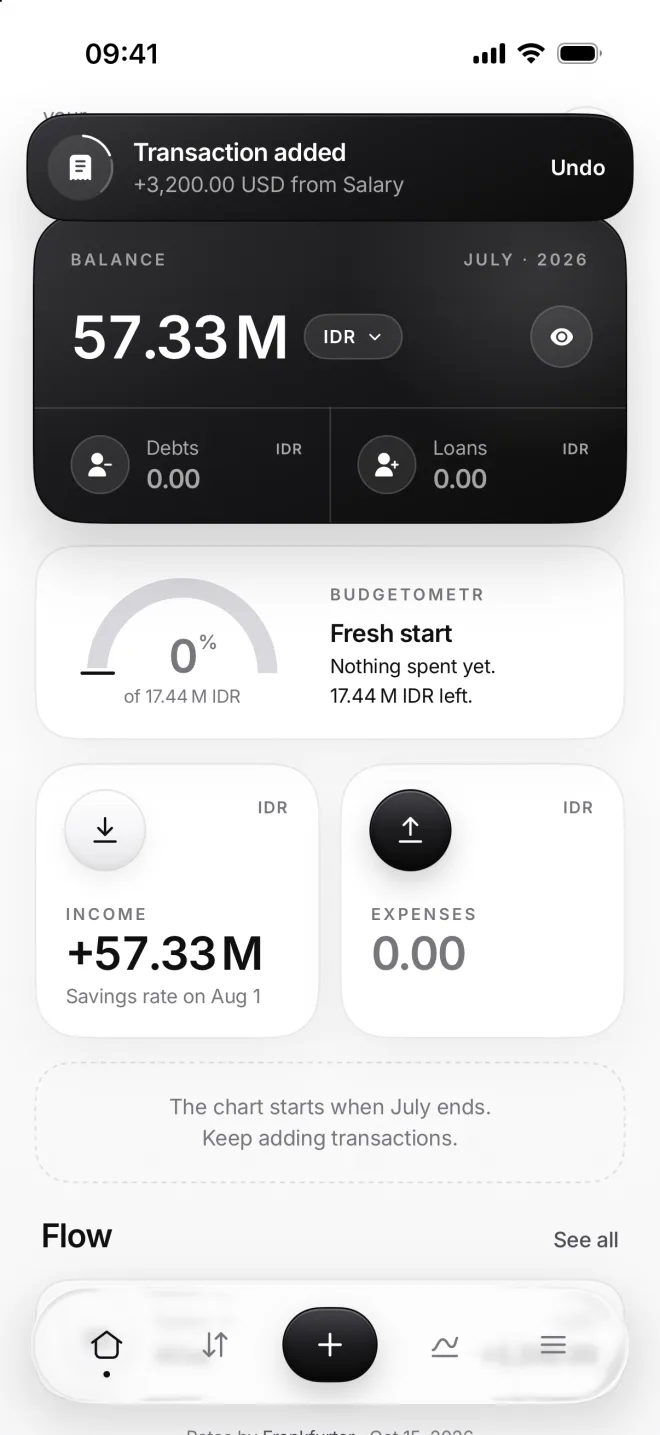
moni adds the income, closes the form and shows a banner with Undo for five seconds, in case you tapped Add by mistake.
Your balance and this month’s income grow on Home at once. The income tile shows your savings rate once a month is over.
-
Find it in Flow
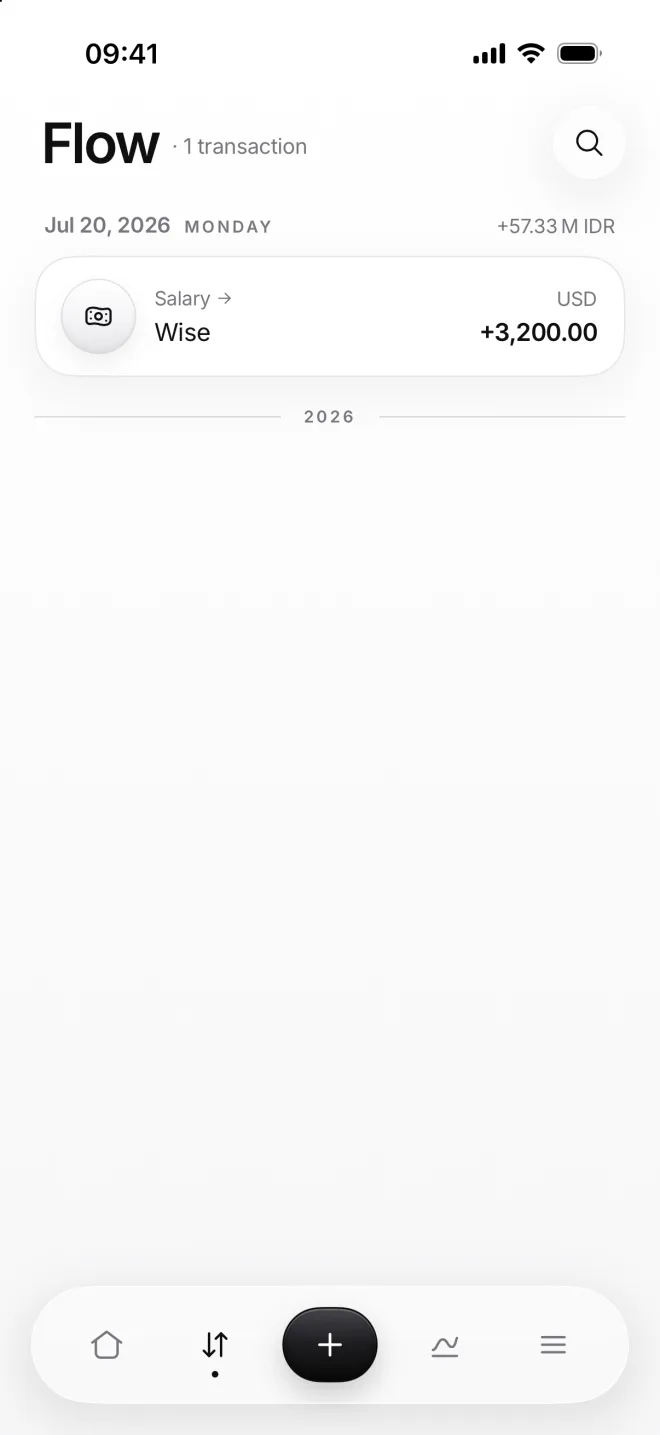
Flow shows the transaction under its day: Salary to Wise, plus 3,200 dollars. The day’s total is in your main currency.
Tap the row to open it again. Change anything and tap Save, or tap Delete at the top right if it shouldn’t be there at all.