Make a transaction repeat
Rent, subscriptions and salary come back every month. Make a transaction repeat once, and moni adds the next one by itself, with a reminder before it comes.
-
Turn on Recurring transaction
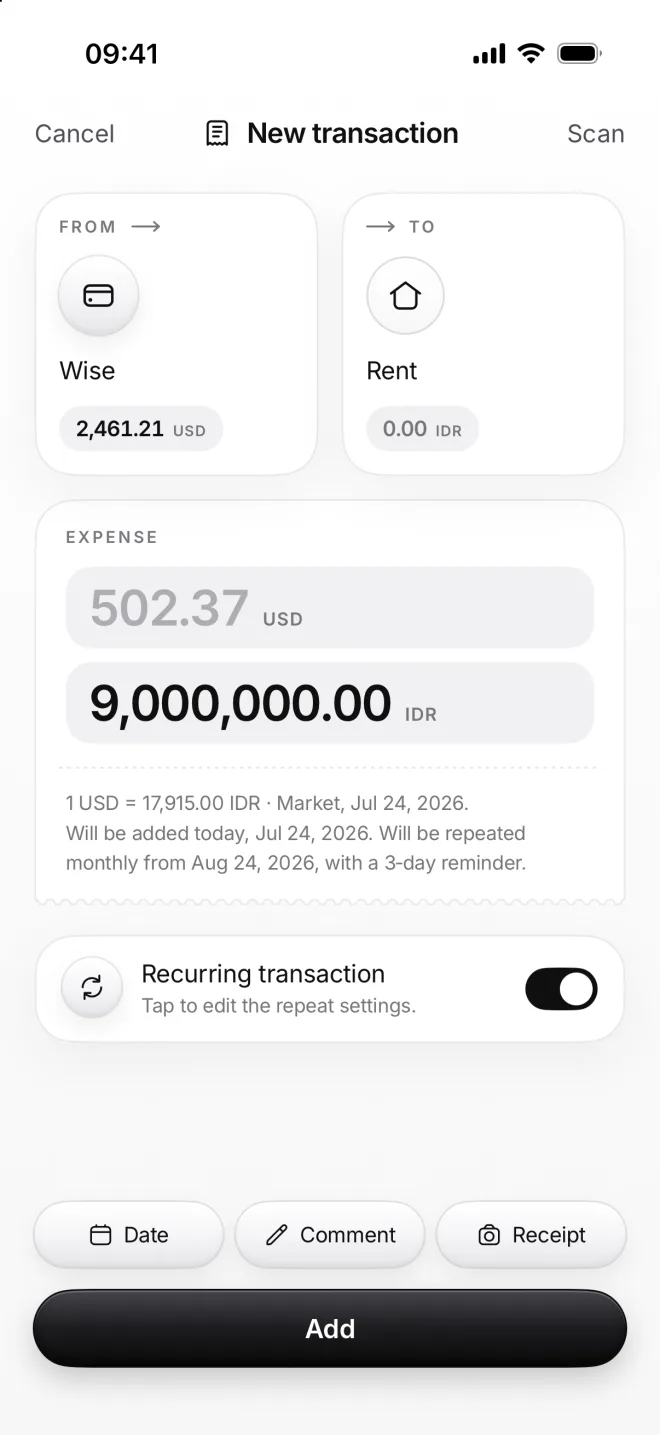
Fill in the transaction as usual, like Wise to Rent, then turn on Recurring transaction below the amount. Its settings open.
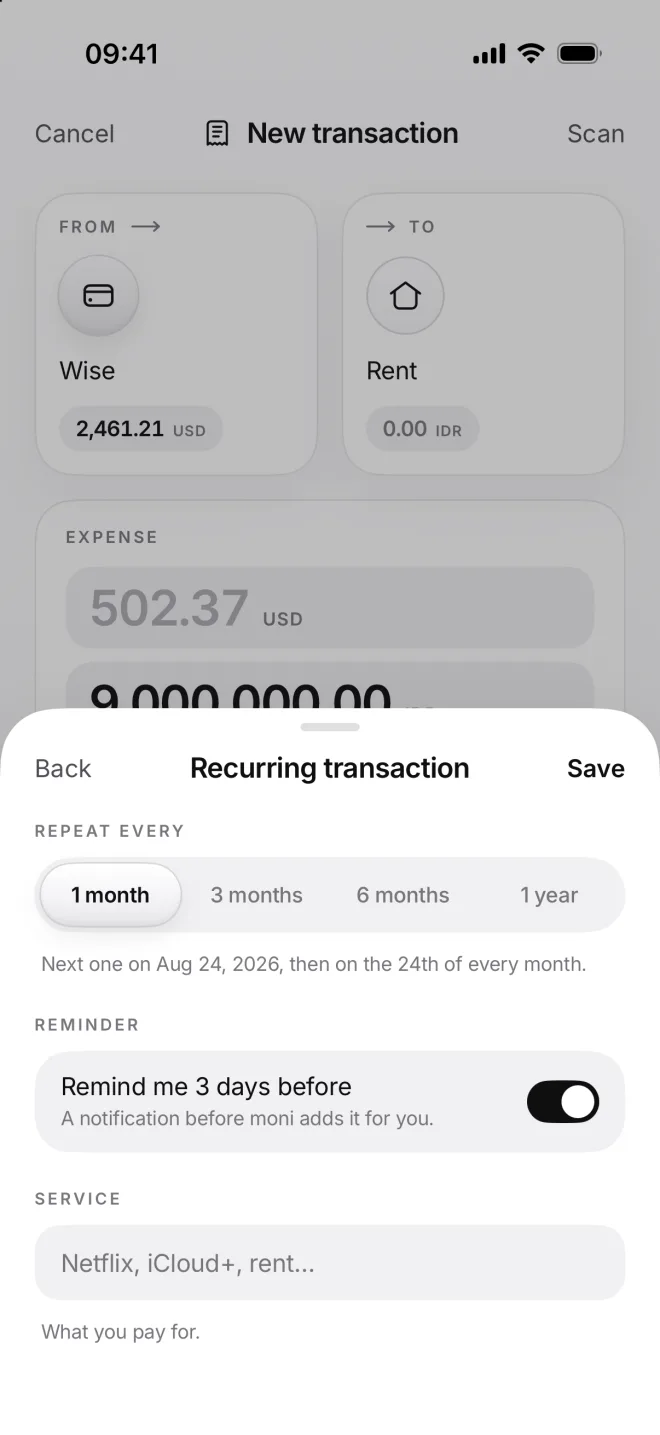
Choose how often it comes back and keep Remind me 3 days before on. Service names what you pay for, like Netflix.
-
Check the note and add it
Tap Save, and the note under the amount sums it up: monthly from August 24, with a reminder three days before. Tap Add.
From then on moni adds the rent on the 5th of each month. If moni isn’t open that day, it catches up the next time you open it.
-
The next one, on top of Flow
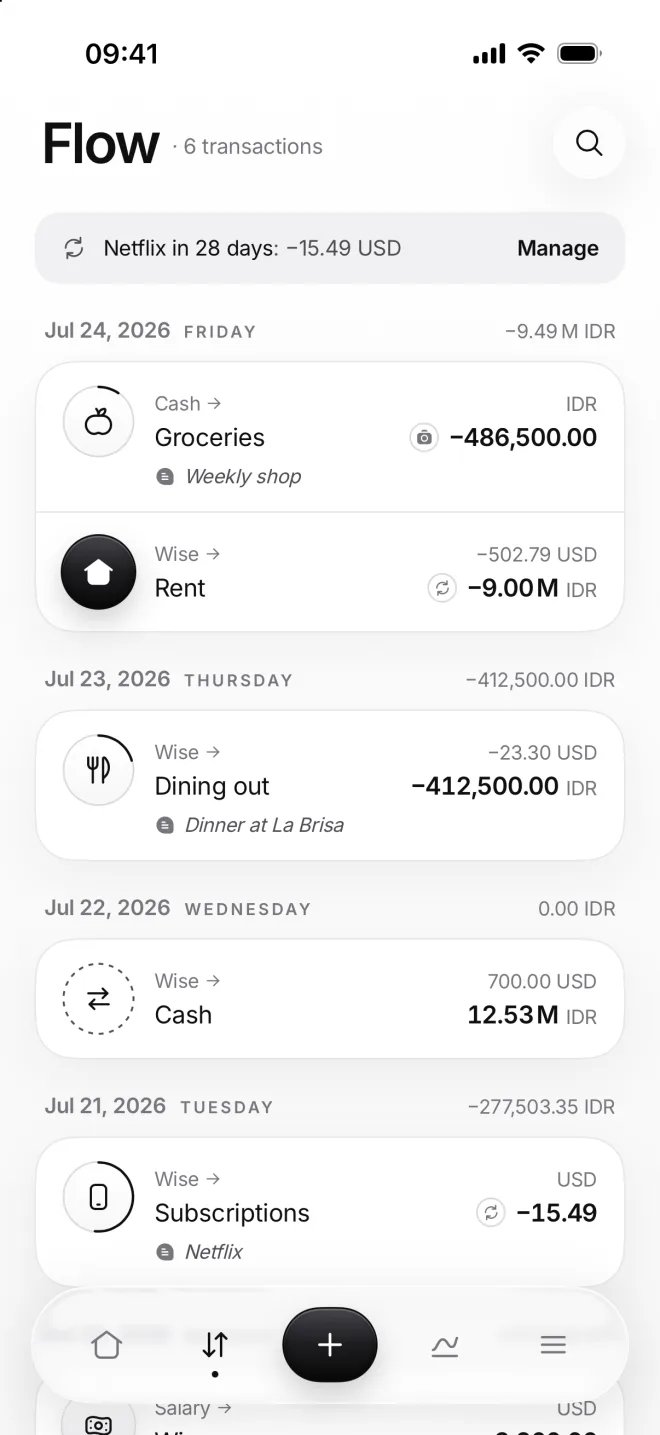
A grey strip above your list shows the closest repeat: Netflix in 28 days. A small circle of arrows marks each repeating row.
Tap the strip to edit that transaction. Each section and category has its own strip, too, with the repeats that go through it.
-
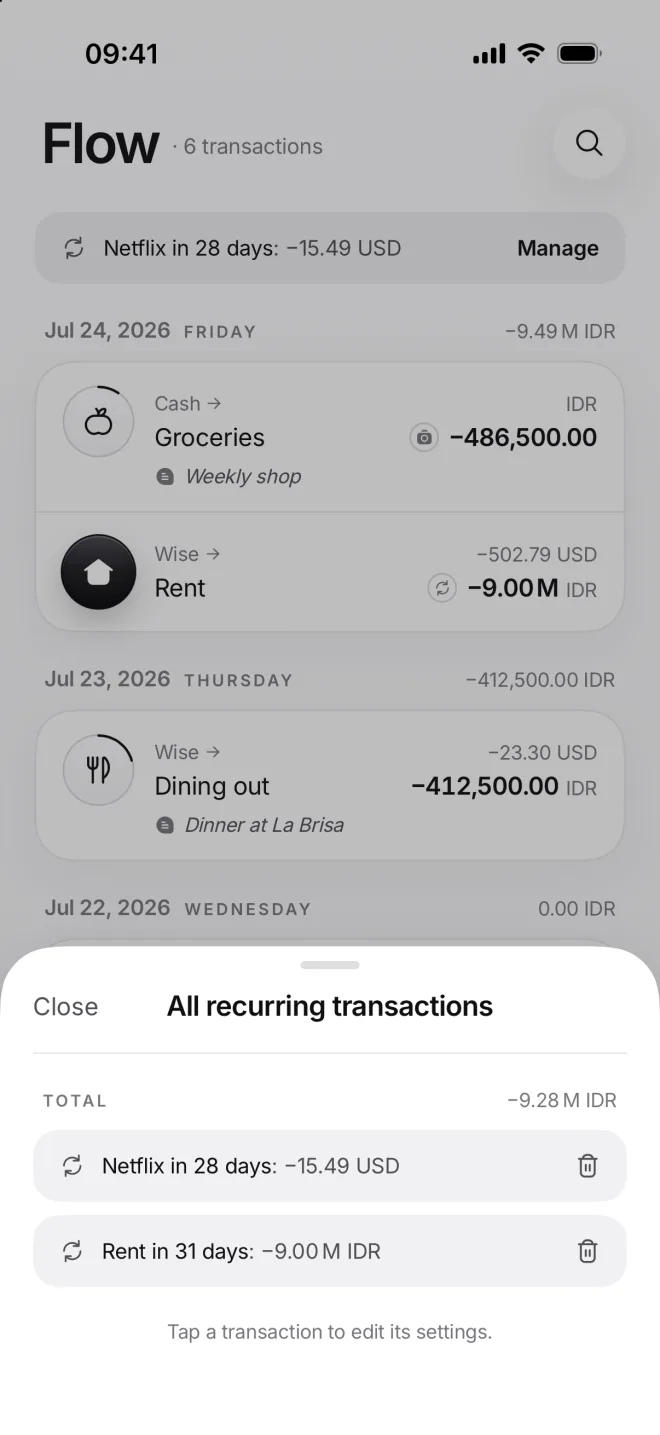
All repeats in one place
Manage opens all your repeats, the closest first, and their total. Tap one to change it, or tap the trash can to stop it repeating.
Stopping a repeat keeps every transaction it has added so far, and a banner with Undo lets you take it back for five seconds.