Move money between accounts

Moving money between your own places isn’t income or an expense. Taking out cash, topping up a card, saving: in moni it’s a transfer, Balance to Balance.

Lesson 11 of 32 2 min
  1. Add the place it moves to

    Cash is a balance category too. Create it on the Balance page, in rupiahs, with the wallet icon, and leave its amount empty.

    Empty means it starts at zero, and the transfer fills it. Already have some cash? Type how much is in your wallet right now.
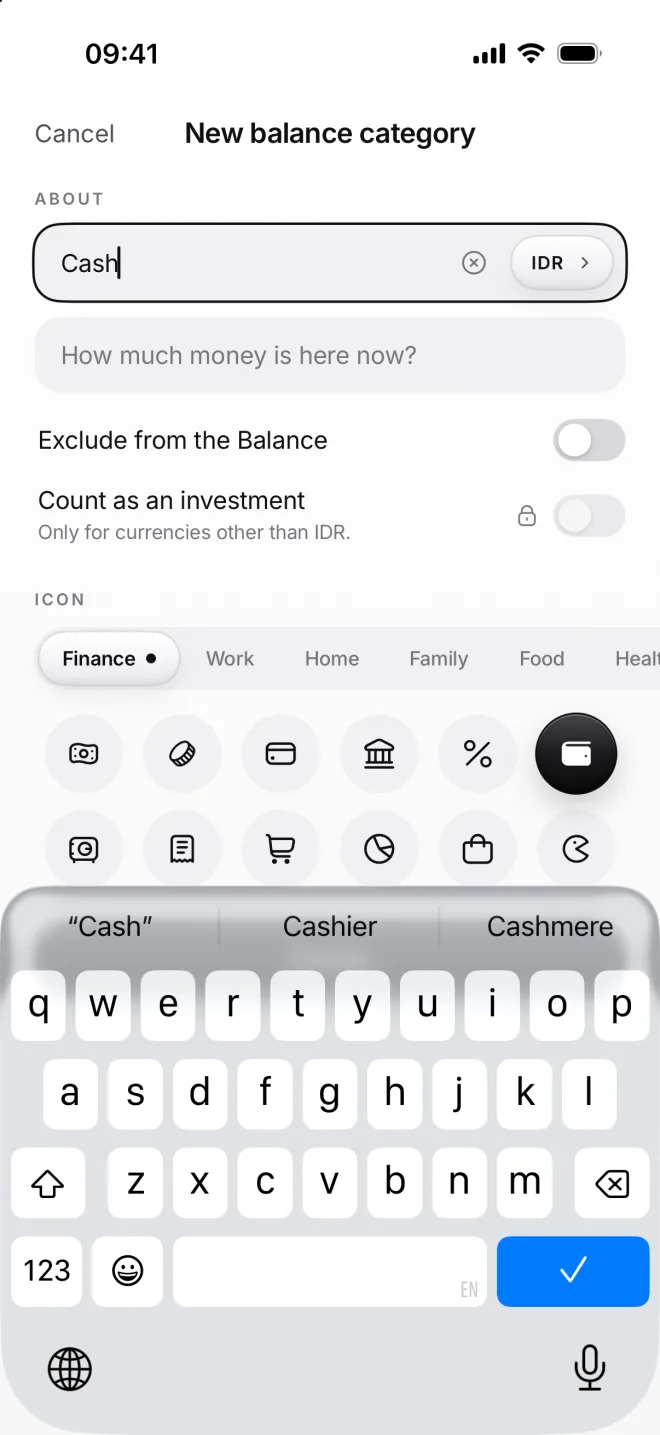
    New balance category Cash in rupiahs with the wallet icon
  2. From Wise to Cash

    Tap +, choose Wise as From and Cash as To. They’re in different currencies, so moni shows two amounts and converts one.

    Type what the ATM or bank actually gave you in both fields, here 700 dollars and 12,530,000 rupiahs. moni keeps your rate.
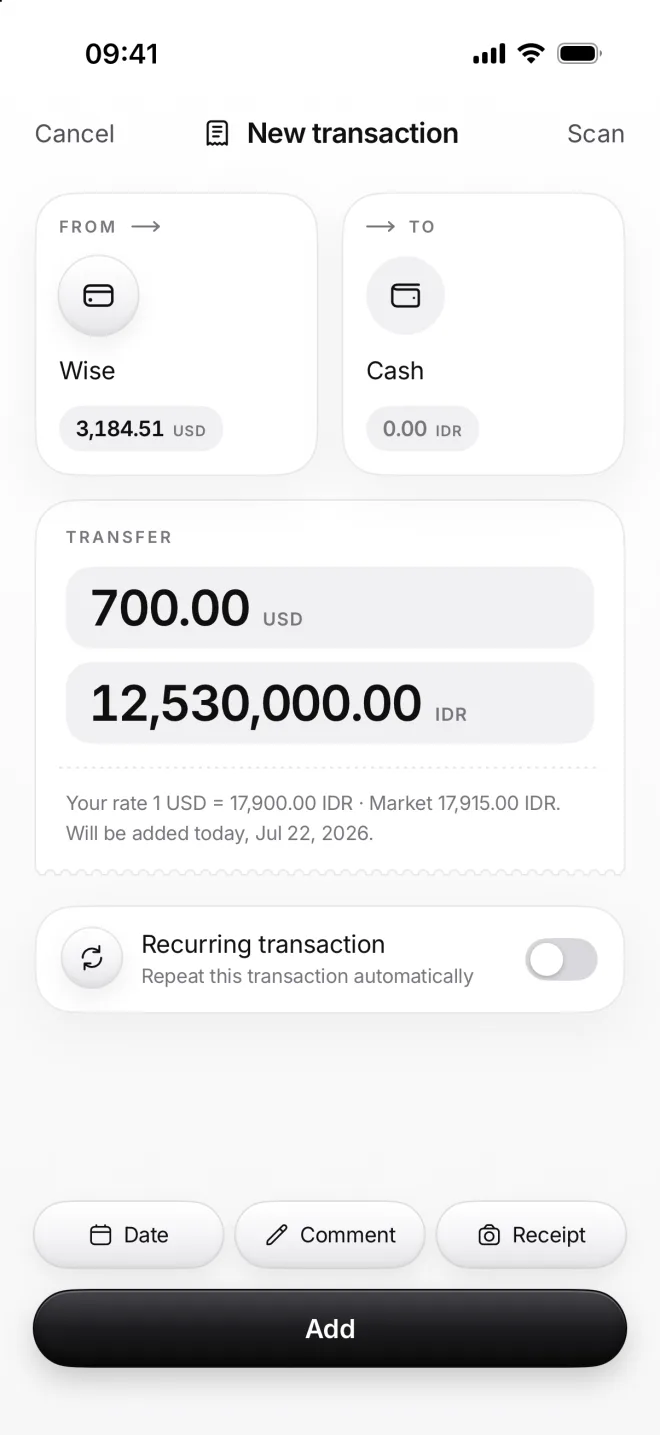
    New transaction from Wise to Cash: a transfer of 700.00 dollars and 12,530,000 rupiahs, with your rate
  3. See it in Flow

    A transfer has a dashed circle with two arrows and no plus or minus: the money only changed places. Its day’s total is zero.

    Your balance stays the same. Wise shows 700 dollars less and Cash 12.53 million rupiahs more, each in its own currency.
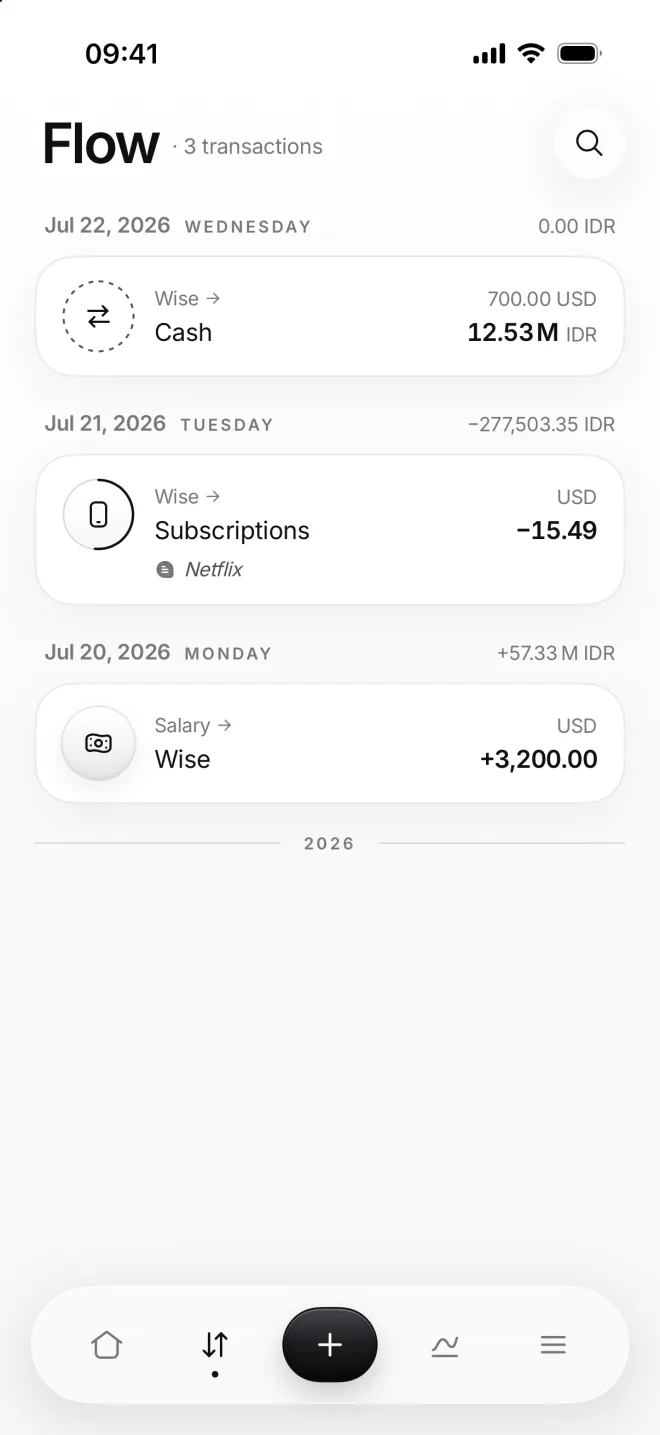
    Flow with the transfer from Wise to Cash on July 22 and a day total of 0.00

If something goes wrong

My balance changed after a transfer
If one side is left out of the balance, like Savings or the Piggy bank, the money leaves or joins your balance. Between two ordinary places, it doesn’t change.
The bank took a fee
Type exactly what left one place and what arrived in the other. The difference is the fee, hidden in your rate. Want to see it on its own? Add it as an expense too.
Can I move money into the Piggy bank?
Yes, it’s a transfer like this one. Money in the Piggy bank is left out of your balance, so the balance drops by that amount. Lesson 22 shows how to save for a goal.
I picked the same place twice
From and To can’t be the same category: moni greys out the one already chosen on the other side of the form. Pick another one, or create one with New category.