Track Debts and Loans

Borrowed money isn’t income, and money you lent isn’t an expense. moni keeps both apart in Debts and Loans, with who, how much and until when.

Lesson 20 of 32 2 min
  1. Add a debt

    Open Debts from the Balance card or Menu, tap +, pick where the money went, like Wise, and type how much: 400 dollars.

    Add who lent it, Sam, and when you’ll pay it back. moni reminds you three days before that day, and then on the day itself.
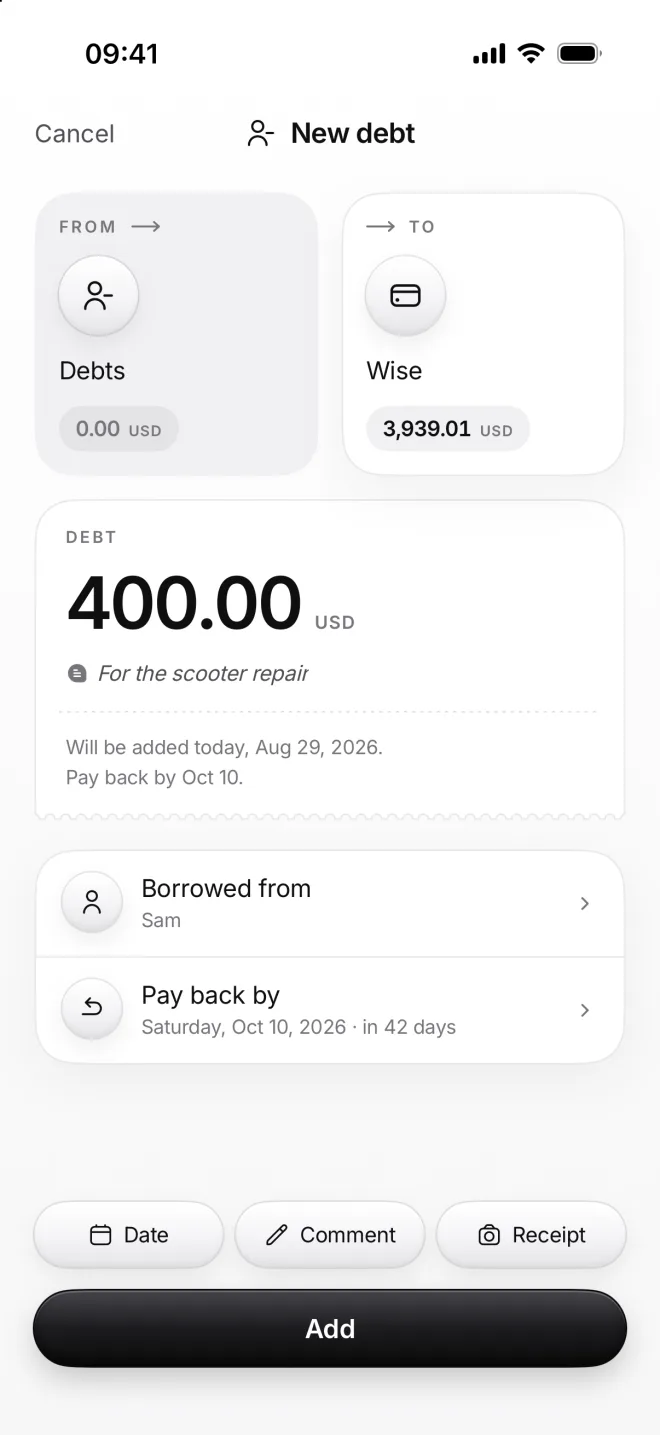
    New debt from Debts to Wise: 400.00 US dollars, borrowed from Sam, pay back by October 10
  2. Your Balance and Debts grow

    The money is in Wise now, so your balance goes up. The Debts tile under it shows what you owe in all: 7.16 million rupiahs.

    None of it counts as income or as an expense: a debt is money you hold for a while, so your Stats stay honest about it.
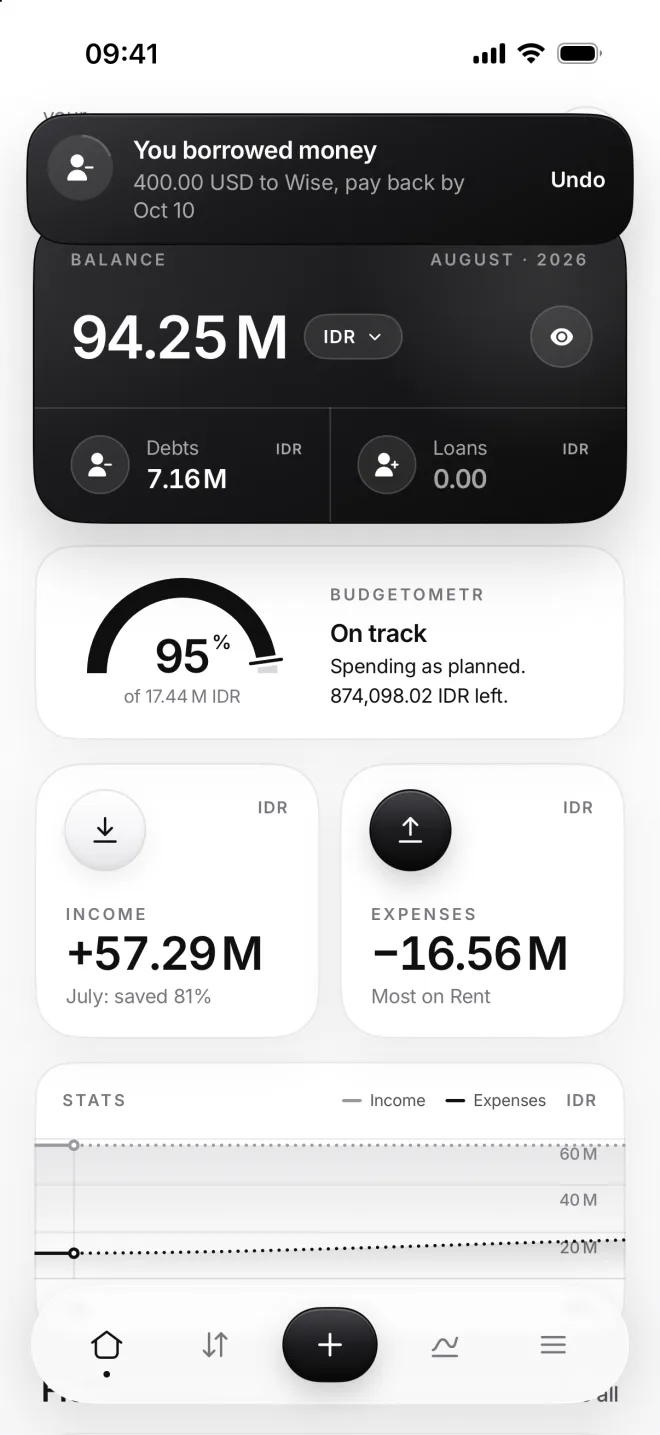
    Home with the banner You borrowed money, 400.00 USD to Wise, and Debts at 7.16 million rupiahs
  3. See every debt

    The Debts page lists what you owe, to whom and until when. Swipe one right once it’s paid back: it goes to Closed debts.
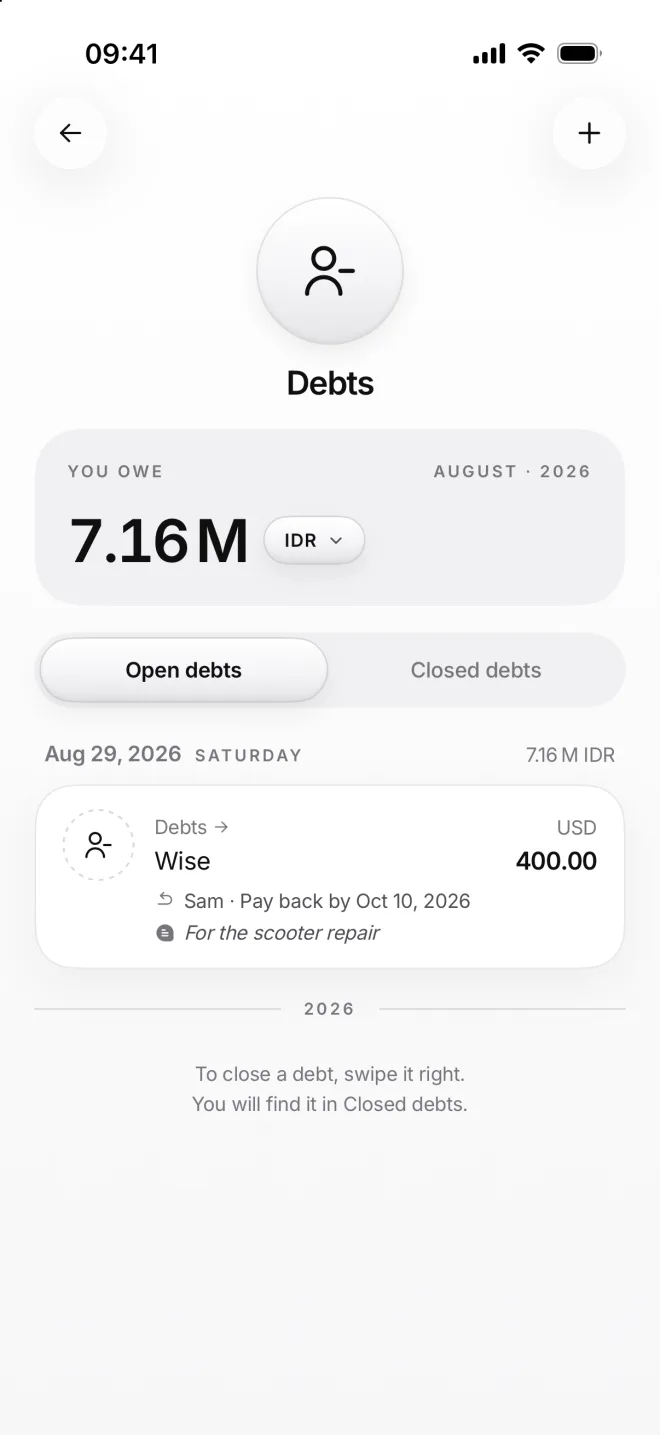
    The Debts page: you owe 7.16 million rupiahs, Sam’s 400.00 dollars to pay back by October 10
  4. Lent money? Add a loan

    Loans work the other way round: from Cash to Loans, 1,500,000 rupiahs lent to Nina, to be paid back by September 30, 2026.

    Your balance goes down by the loan, as the money is out of your hands. The Loans tile keeps it in sight until it’s back again.
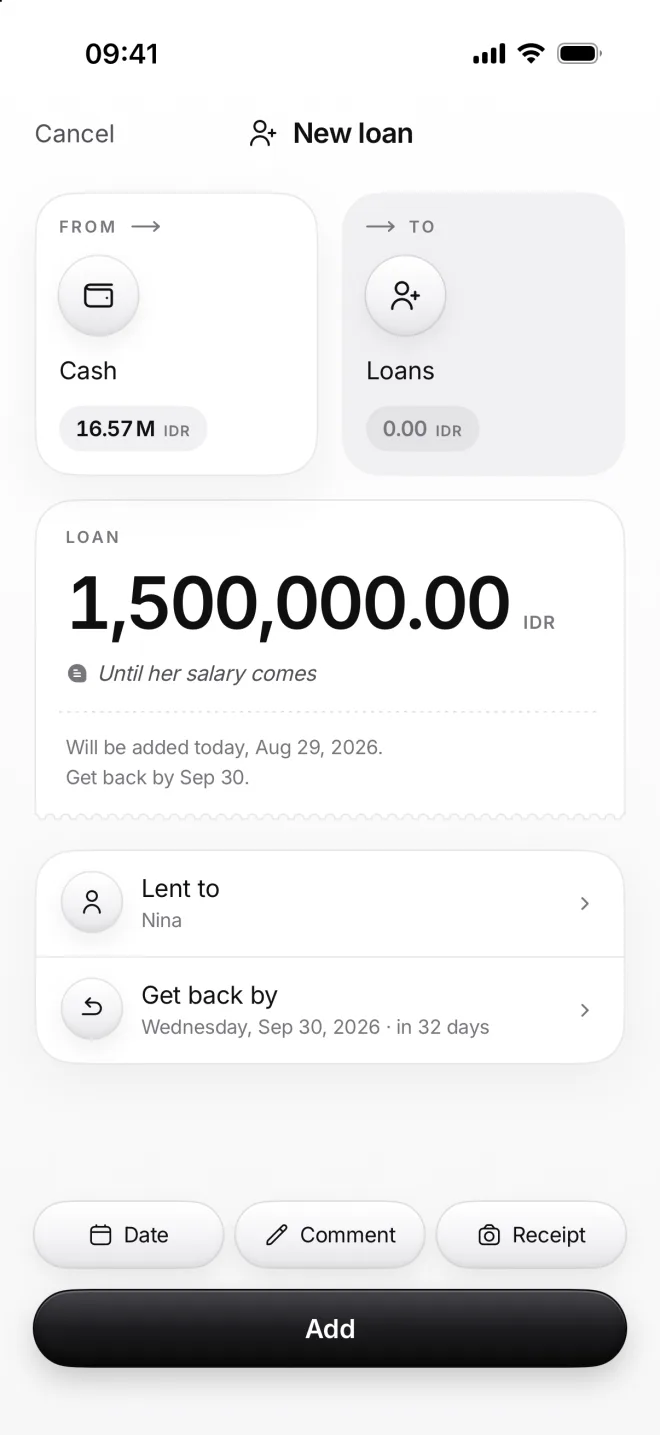
    New loan from Cash to Loans: 1,500,000 rupiahs lent to Nina, get back by September 30

If something goes wrong

Why isn’t a debt income?
Borrowed money has to go back, so counting it as income would make your month look richer than it really is. moni keeps it in Debts and out of your Stats.
Which currency is a debt in?
Loans keep the currency of the account the money left, like Cash in rupiahs, and a debt into Wise is in dollars. moni sums them all up in your main currency.
I don’t want Debts on Home
Open Menu, then Settings, and turn off Debts and Loans under Display on Home. They stay on the Balance page and in Menu, whenever you need them.
A debt has no deadline
Leave Pay back by empty, and the debt simply stays open until you close it. Set the date later on the debt’s page, and moni starts reminding you from then on.