Split a receipt across categories

Groceries and shampoo on one receipt are two different expenses. moni splits such a receipt by your categories, so each amount lands where it belongs.

Lesson 17 of 32 2 min
  1. Scan as usual

    Scan the receipt the usual way. When its items belong to different categories, the sheet says Split receipt, with each part.

    Here it’s Pepito Market: 412,000 for Groceries and 128,500 for Household, the shampoo and detergent. In all, 540,500.
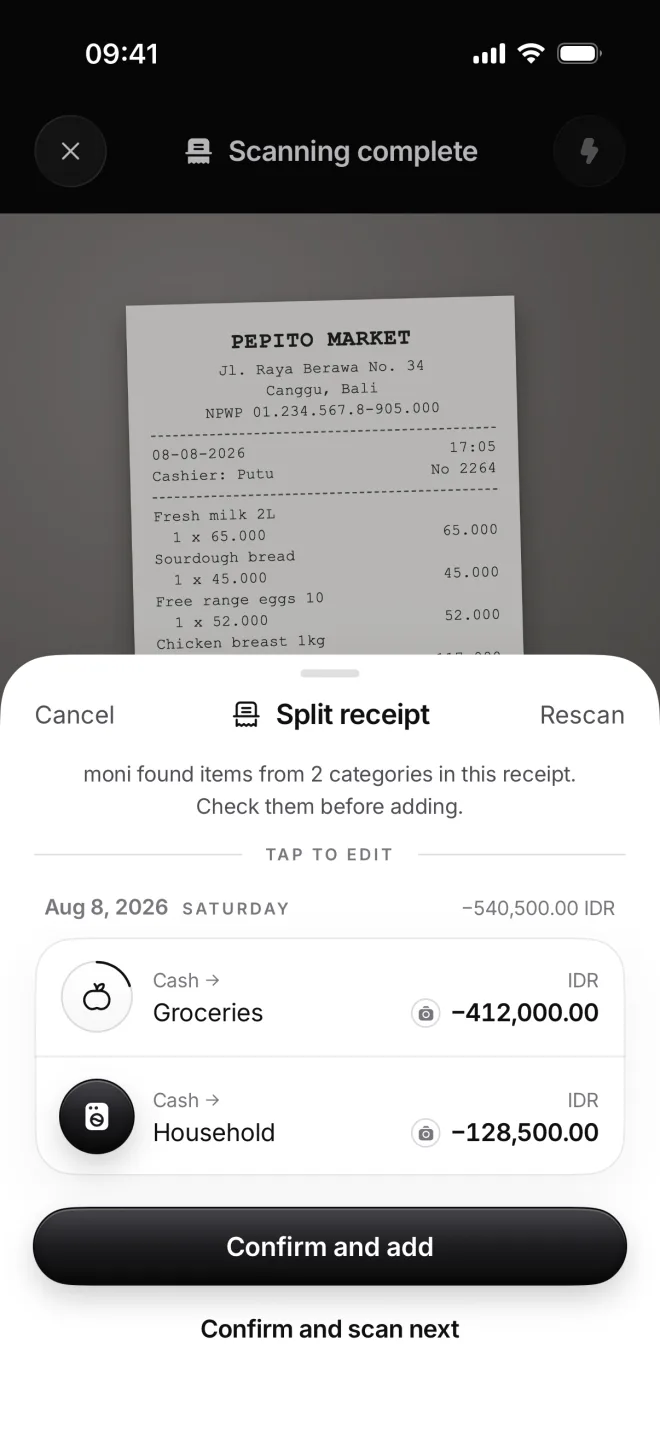
    Split receipt from Pepito Market: Groceries −412,000.00 and Household −128,500.00 rupiahs, both from Cash
  2. Add them all at once

    Confirm and add saves both transactions with one tap. A single banner sums them up, and one Undo takes them both back.

    Each part keeps the same photo, day and shop, so you can always see where it came from, what it was for and what it cost.
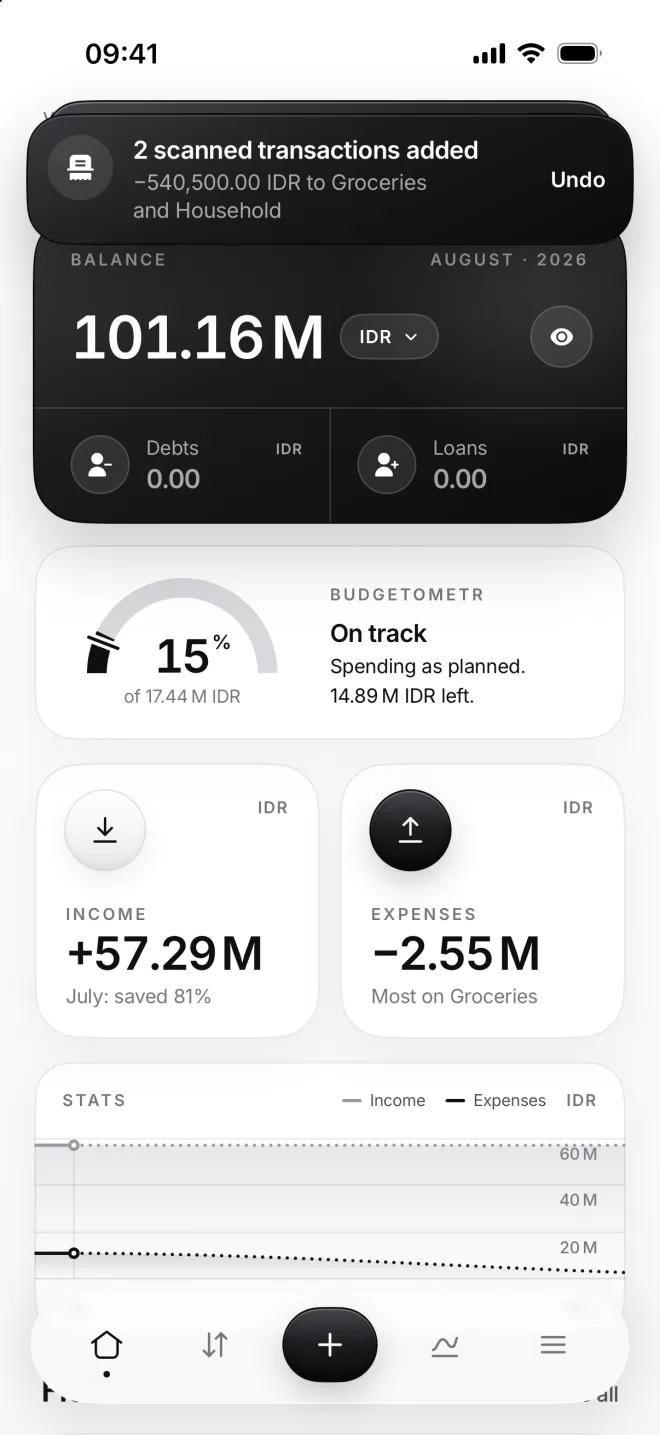
    Home with the banner 2 scanned transactions added, −540,500.00 IDR to Groceries and Household
  3. Find them in Flow

    In Flow, each part is its own transaction on August 8: Groceries and Household, each one with the receipt’s camera mark.

    Their Stats and budgets count each part on its own, and that’s why splitting is worth it: after all, shampoo isn’t groceries.
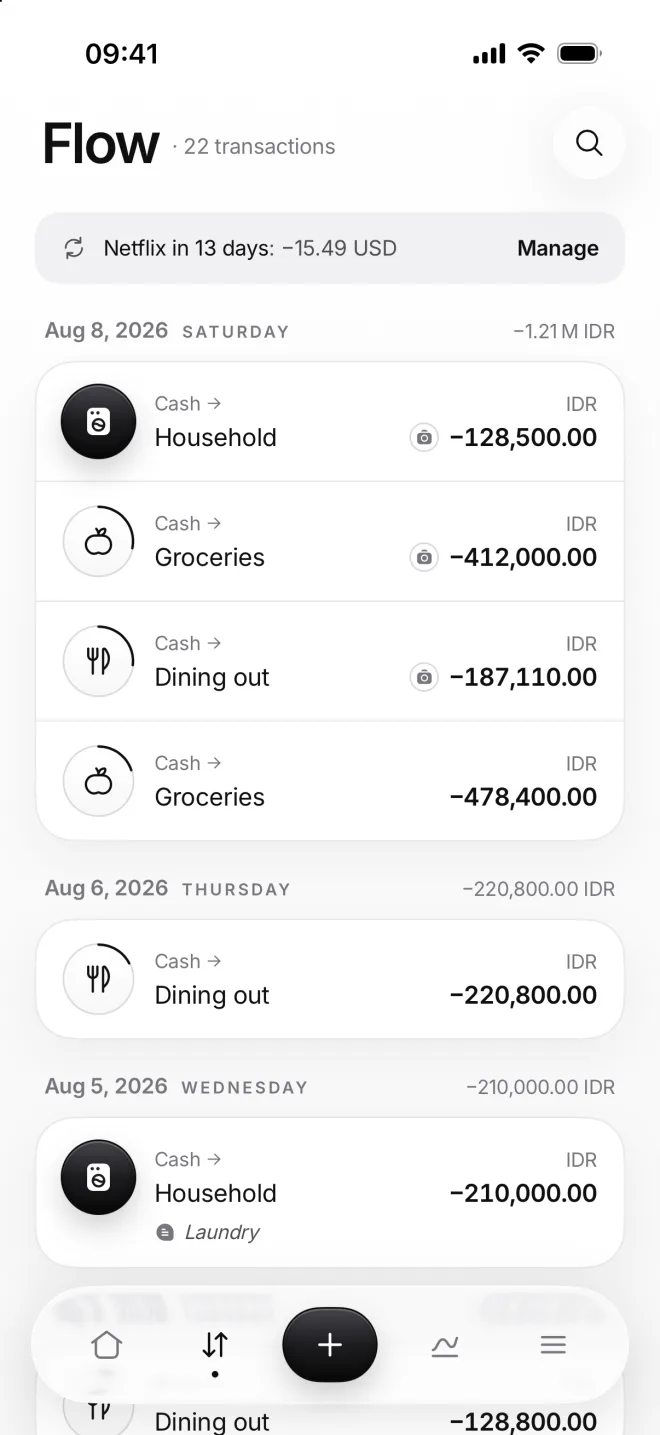
    Flow on August 8: Household, Groceries and Dining out, each with a receipt mark

If something goes wrong

moni didn’t split it
Most receipts are one category, so moni splits only when items clearly belong to different ones. To split by hand, add the other part as its own transaction.
A part went to the wrong category
Tap that row in the sheet and choose the right category for it. The amounts still add up to the total, and moni remembers the category you chose for the next time.
The parts don’t add up
They always add up to what you paid. Discounts, service and tax are shared between the parts in proportion, so each part shows what it really cost you.
I have no Household category
moni never creates categories for you, it only uses yours. Create the one you need first, then scan the receipt once more, and the new category takes its own part.