Track your Investments
Money you keep in another currency or in crypto can count as an investment. moni follows what you put into it and what it’s worth right now, at live market rates.
-
Mark a category
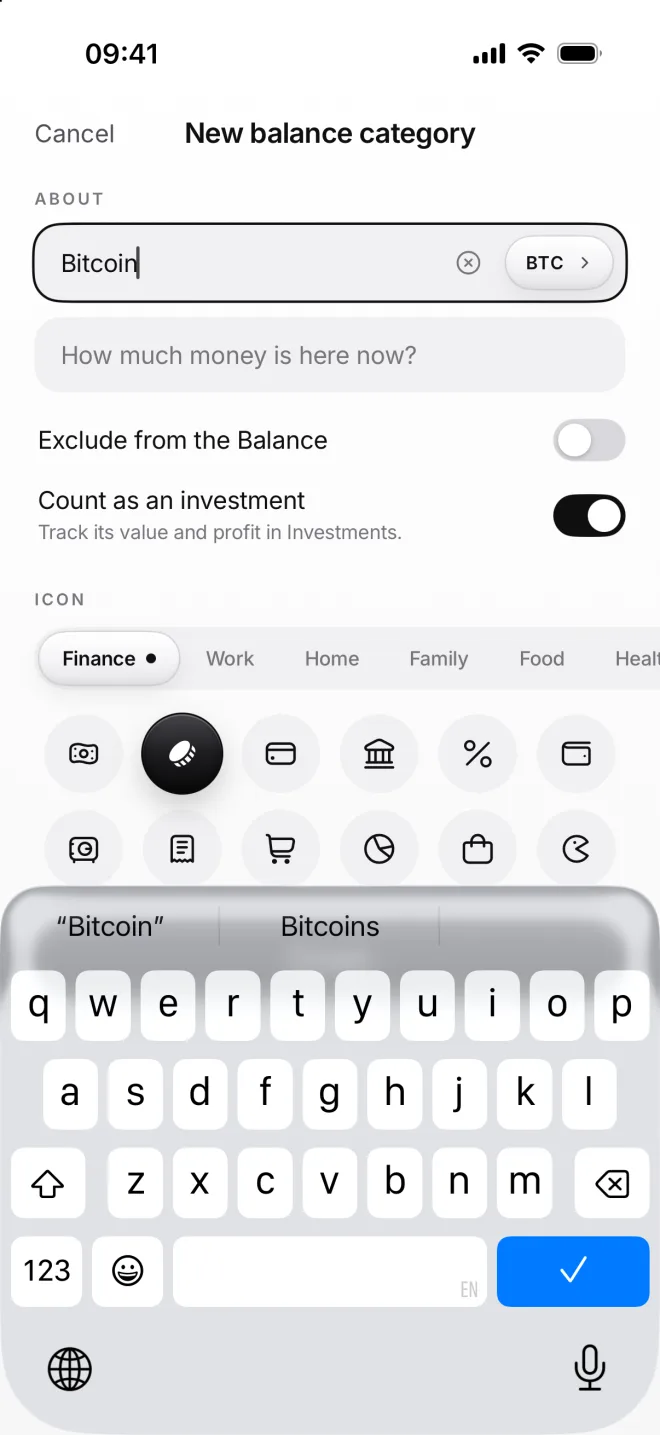
Create a balance category in another currency, like Bitcoin, and turn on Count as an investment. Your main one can’t be one.
-
Buy it with a transfer
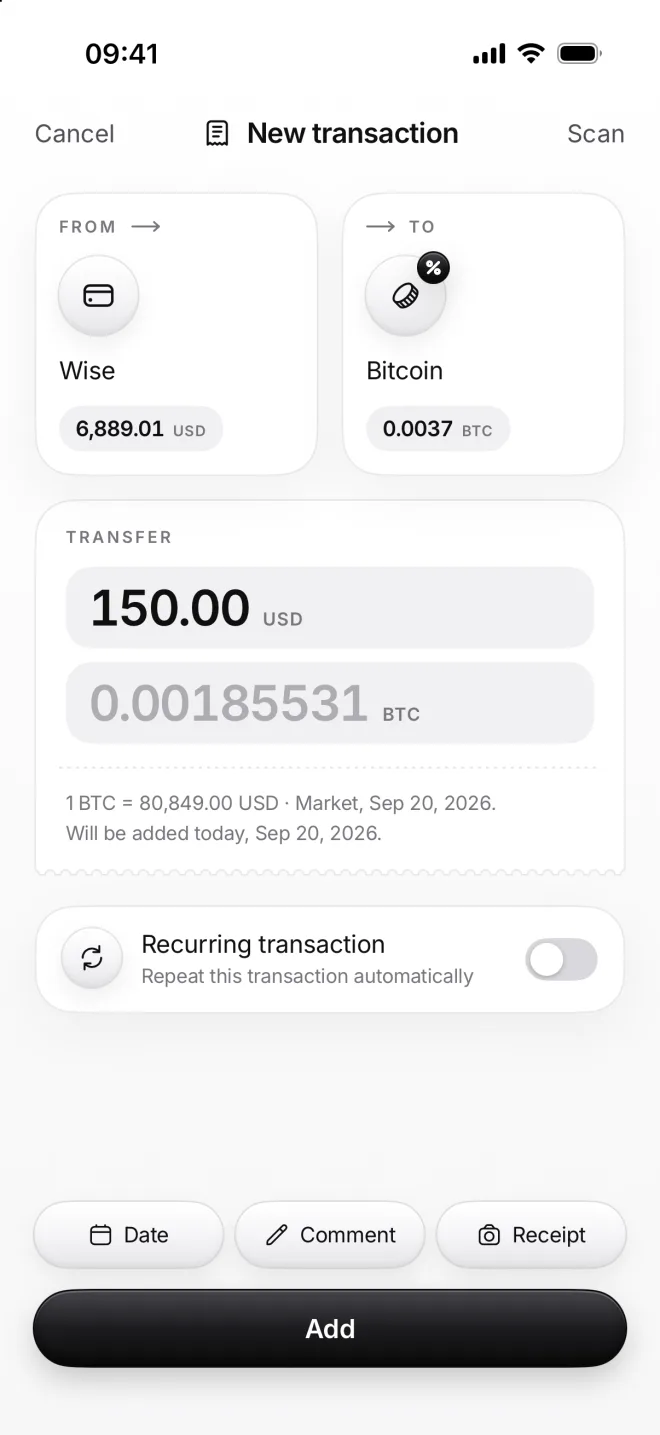
A purchase is a transfer: 150 dollars from Wise to Bitcoin. moni works out the bitcoin amount at the market price of the day.
-
See the whole picture
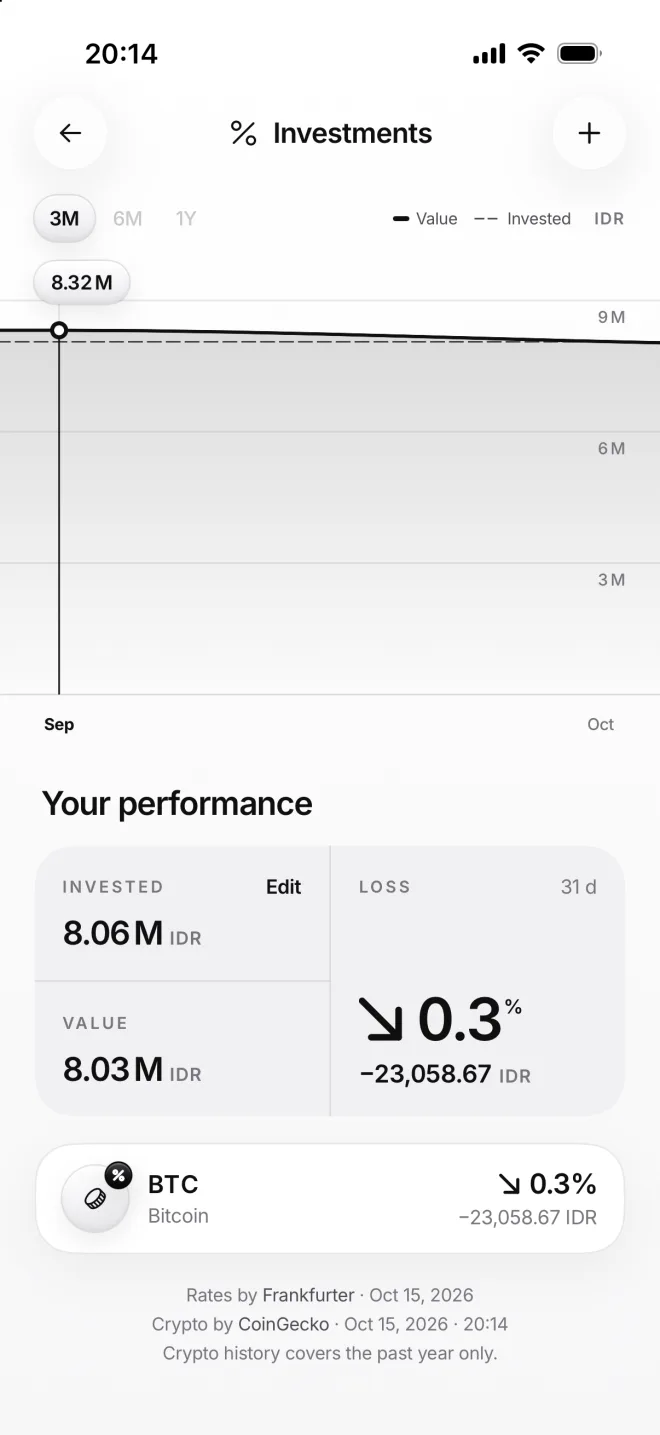
Investments, in Menu, shows what you’ve put in, what it’s worth today and the profit or the loss: here, just a small dip for now.
-
Follow the price
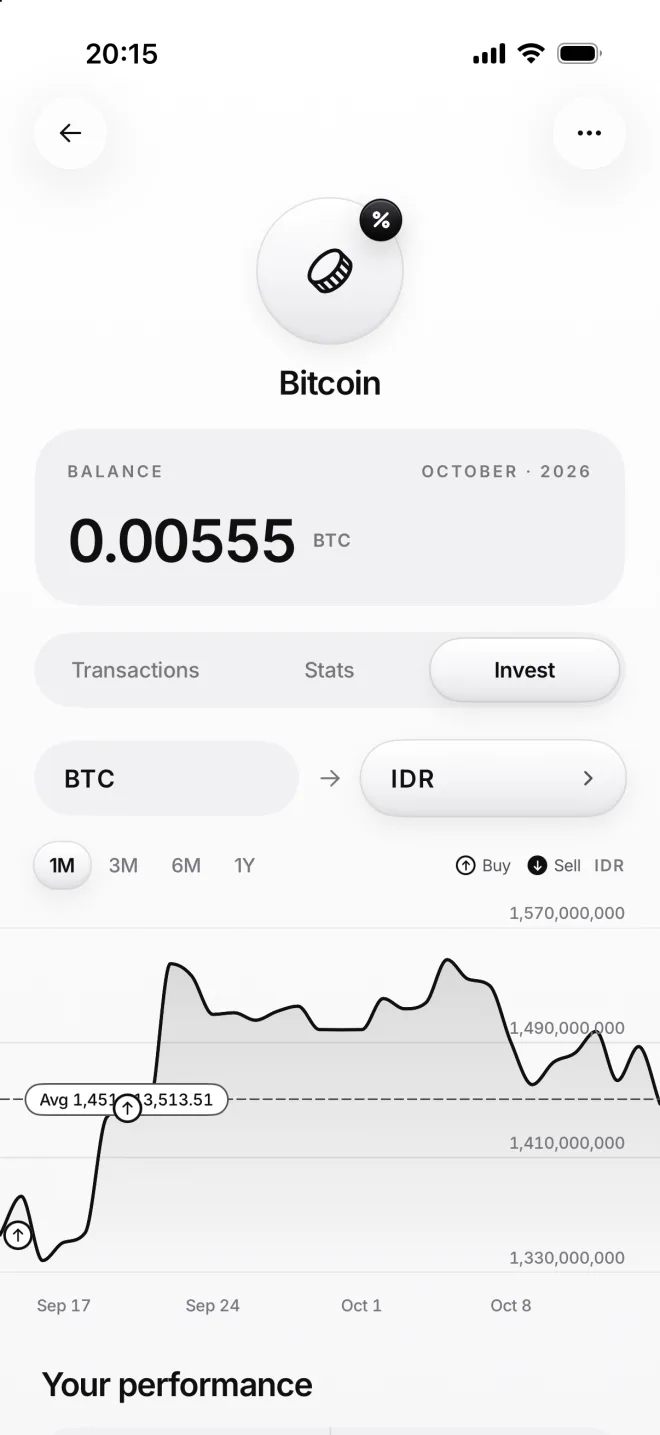
The Invest tab of the category shows the bitcoin price in rupiahs, with your buys on the line and your average price dotted.
If something goes wrong
Where do the prices come from?
Fiat money comes from Frankfurter, the central banks’ own rates, every working day. Crypto comes from CoinGecko, every hour, with one full year of history.
Invested looks wrong
Tap Edit next to Invested and type in what you’ve really put in so far. moni then uses that amount to count your profit from now on, whatever the transfers have said.
Can moni follow stocks?
moni follows currencies and crypto, as there’s no fair free source of stock prices for apps. Keep stocks in your broker’s app, and use moni for everything else.
My dollar card isn’t an investment
That’s right: only the categories you mark count. A card you spend from every day would only ever show you a loss, so it stays an ordinary balance category.