Keep an account out of your total
Some money isn’t for spending, like savings you never touch or a credit card limit. Leave it out of your balance to see only what you can really spend.
-
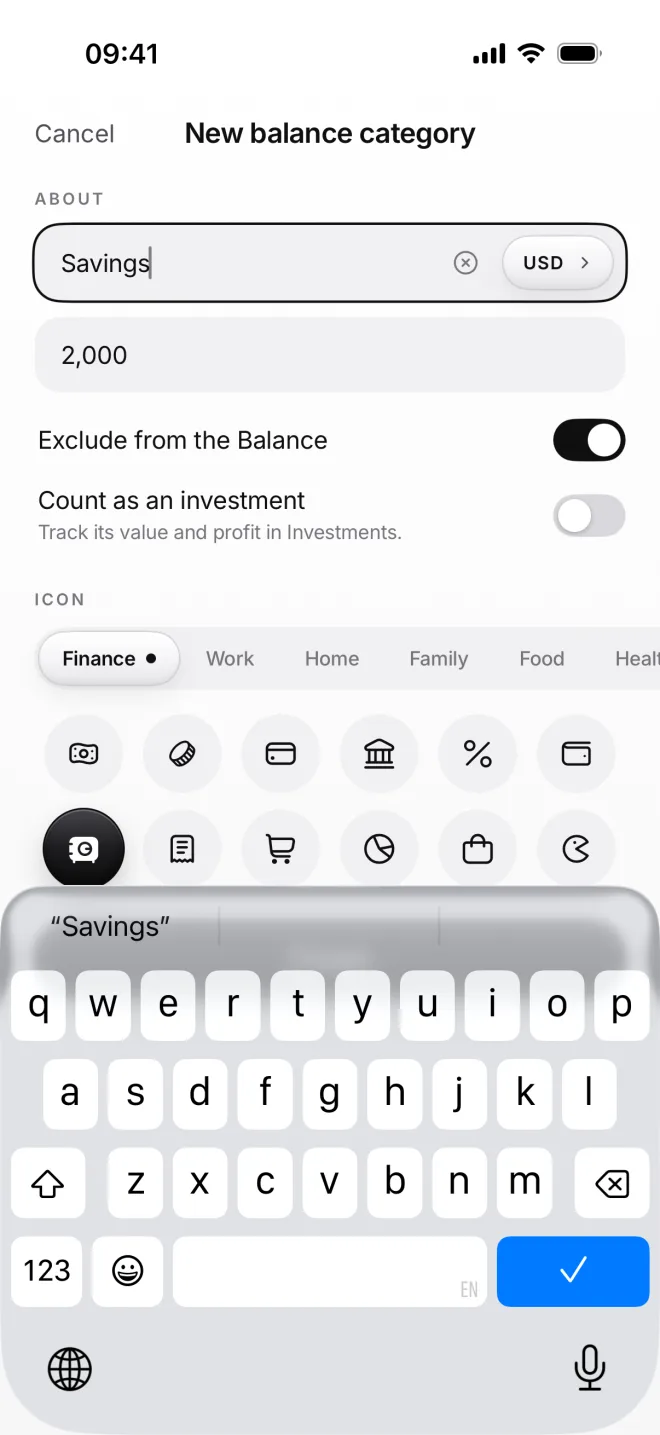
Turn on Exclude from the Balance
Create a balance category, like Savings, and turn on Exclude from the Balance. You can also turn it on later, in Edit category.
Enter how much money is in it now. Here it’s 2,000 dollars, kept apart from the balance you see on Home and in your Stats.
-
Find it under Excluded
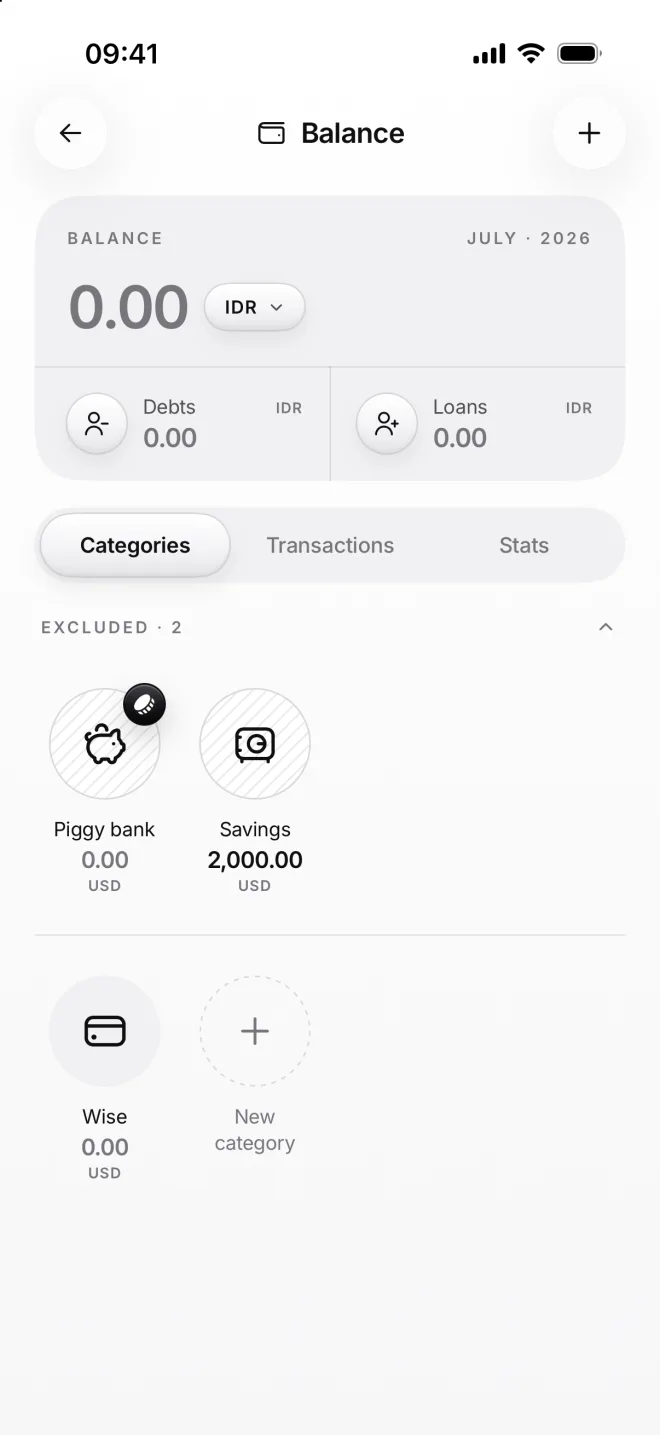
On the Balance page, excluded categories have their own striped group. The Piggy bank is always there: its money is for a goal.
The balance at the top doesn’t count them, and neither do your charts. Their own amounts stay right on their tiles, as before.
If something goes wrong
Is that money lost?
No, it’s all still there: on the category’s tile and on its own page. It’s only left out of your balance on Home and of the charts, so you see what you can spend now.
I have a credit card
Add the card as a balance category and exclude it. Then spend from it as usual: the card’s own amount goes below zero, and your balance on Home stays honest.
My balance dropped after a transfer
Moving money into it lowers your balance by that amount, as the money leaves what you spend from. Moving money back out of it raises your balance again by as much.
How do I bring it back?
Open the category, tap ··· and then Edit category, and turn off Exclude from the Balance. Its money joins your balance and your charts again, as soon as you save.