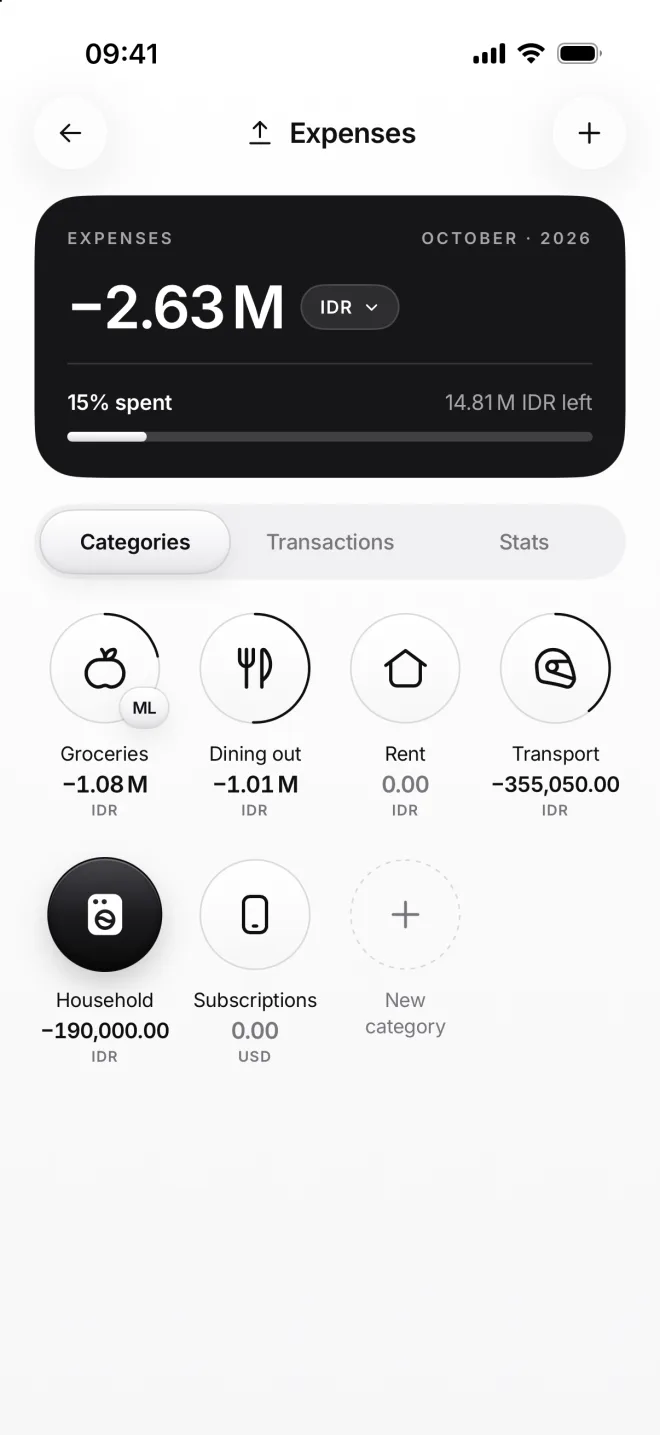
Share a category
Track a category together with up to 5 people: food with your partner, rent with roommates, a trip with friends. Everyone adds to it from their own iPhone.
-
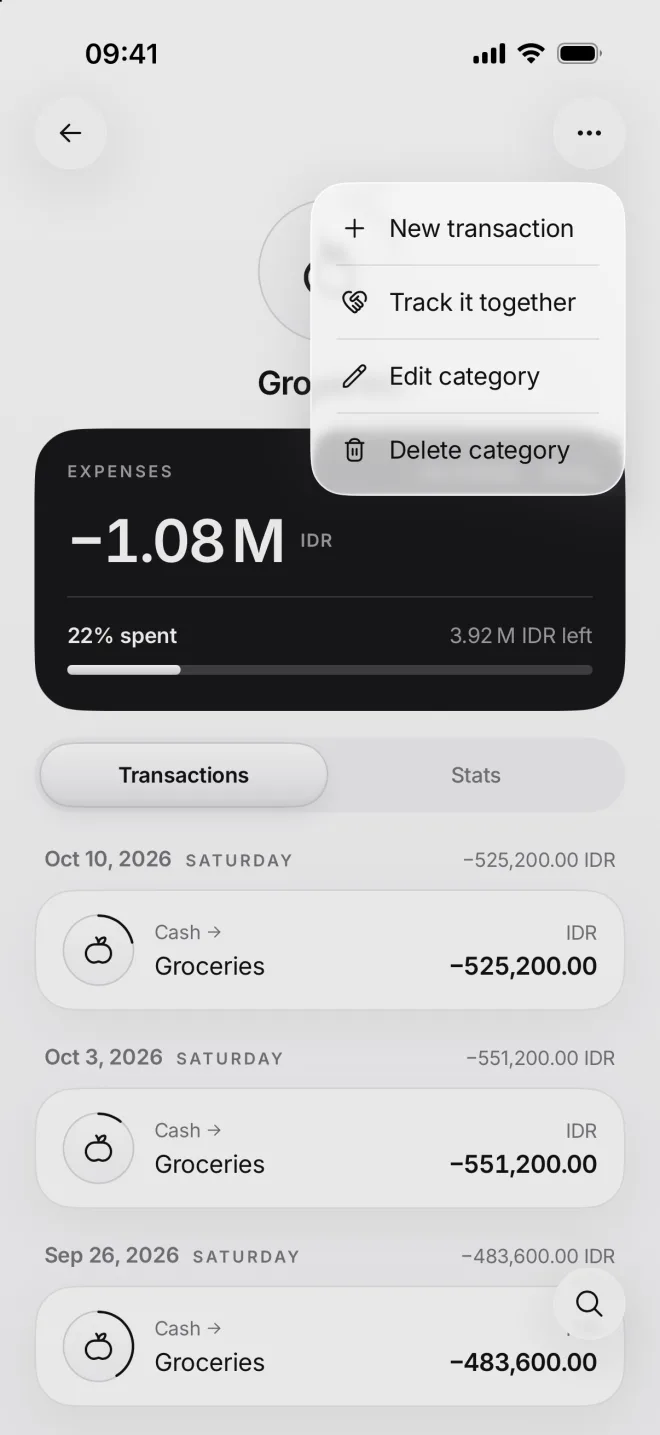
Open Track it together
Open the category to share, tap ··· at the top and choose Track it together. You can share expense and balance categories.
Here it’s Groceries: two housemates buy food for their villa, so they both add to one budget of 5,000,000 rupiahs a month.
-
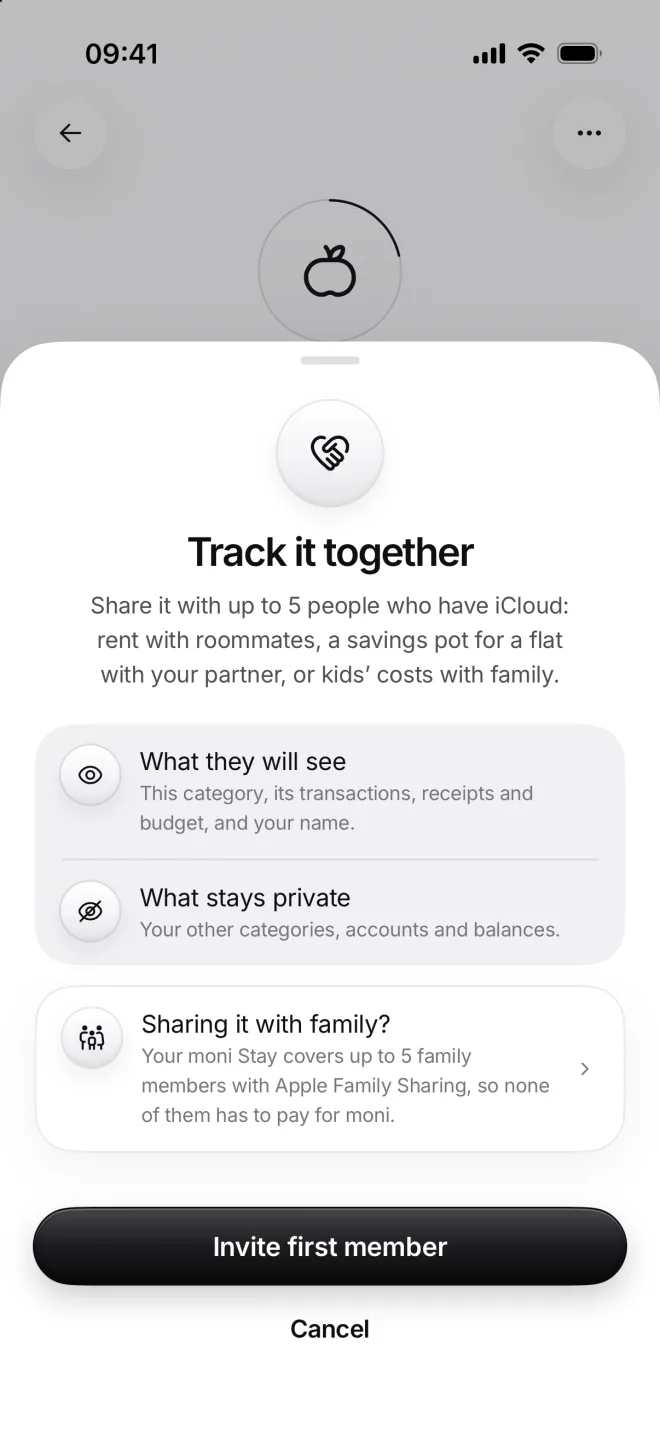
See what they will see
moni shows what the others will see: this category, its transactions, receipts and budget, and your name. Nothing more than that.
Your other categories, accounts and balances stay private. Each of them needs iCloud. When you’re ready, tap Invite first member.
-
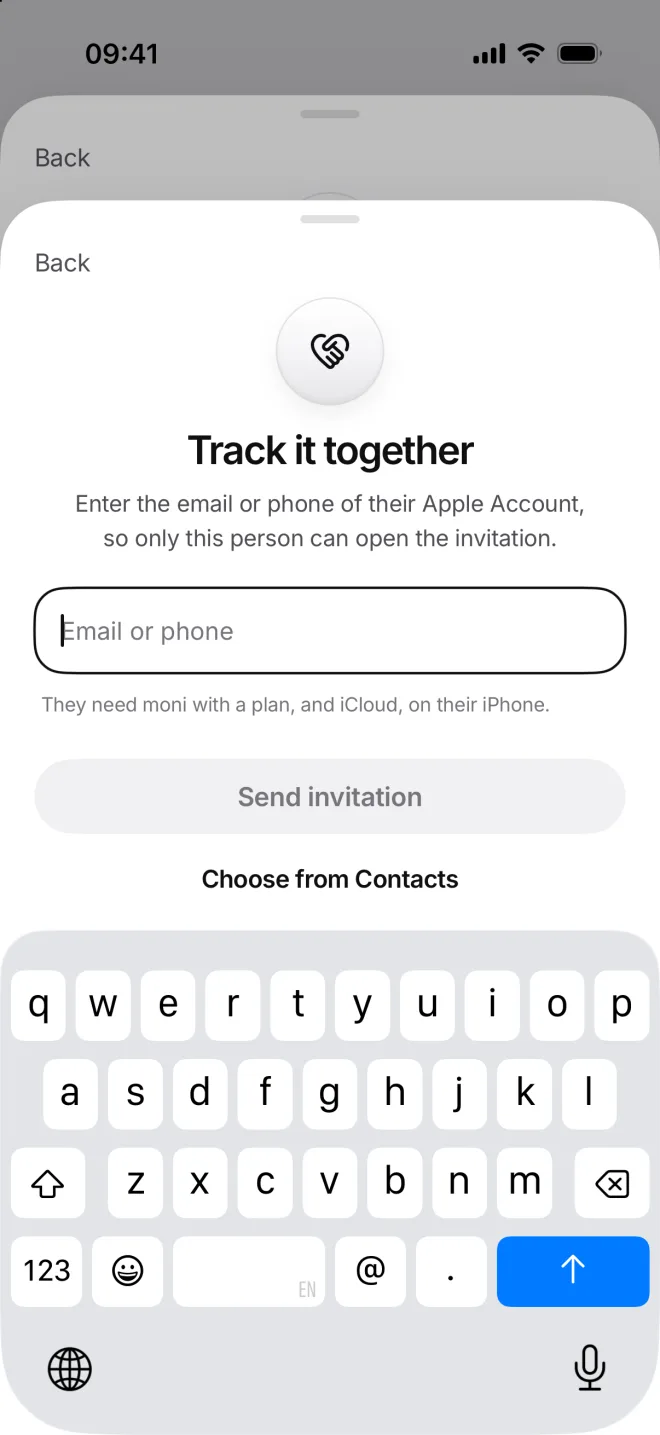
Invite by email or phone
Type the email or phone number of their Apple Account, or choose from Contacts, then tap Send invitation and send the link.
Only that person can open the invitation. To join, they need moni with a plan of their own and iCloud turned on, on their iPhone.
-
See who has joined
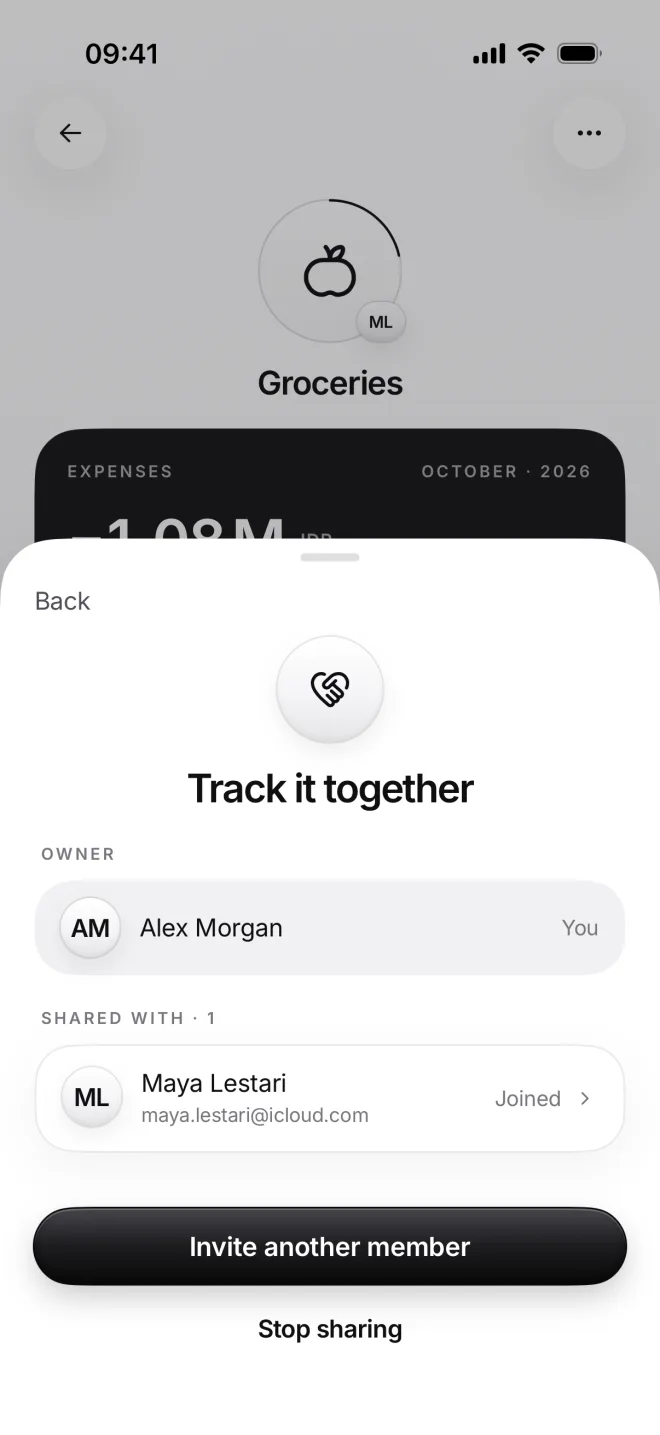
Tap Track it together again to see everyone: you as the owner, then each person, Invited at first and Joined once they’re in.
Maya joined, and moni told you so. Tap a person to remove them, or tap Invite another member: up to five people with you.
-
Find the people mark
A shared category wears its people’s initials at the bottom of its dial: ML for Maya Lestari. You see them on its tile and rows.
Everything else works as before. Its budget, Budgetometr and Stats now count everything both of you spend on groceries.